Product Categories
Features Introduction
The product categories function is designed to provide standardized and structured classification management for a large number of IoT devices on the platform.
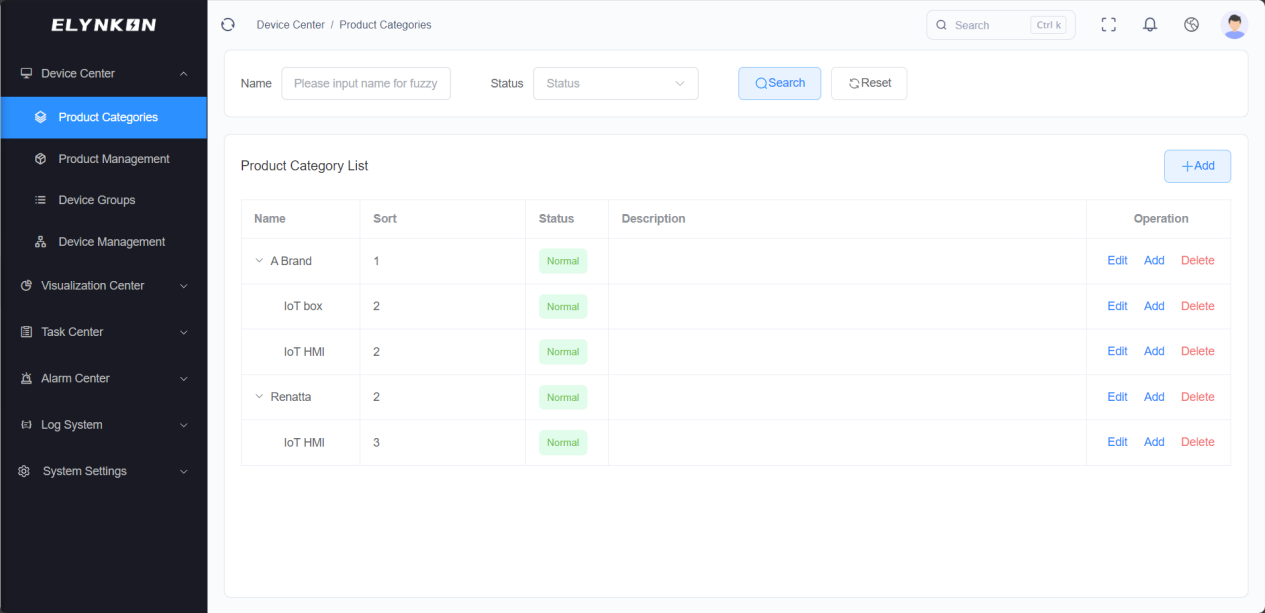
Products can be categorized based on different manufacturers, or further divided based on different models/series under the same manufacturer. Products in the same category generally share a unified parameter configuration template.
This function builds a consistent data foundation for subsequent operations such as device onboarding, data collection, and remote management, thereby improving the efficiency and standardization of device management on the platform.
Category Creation
Adding a New Category
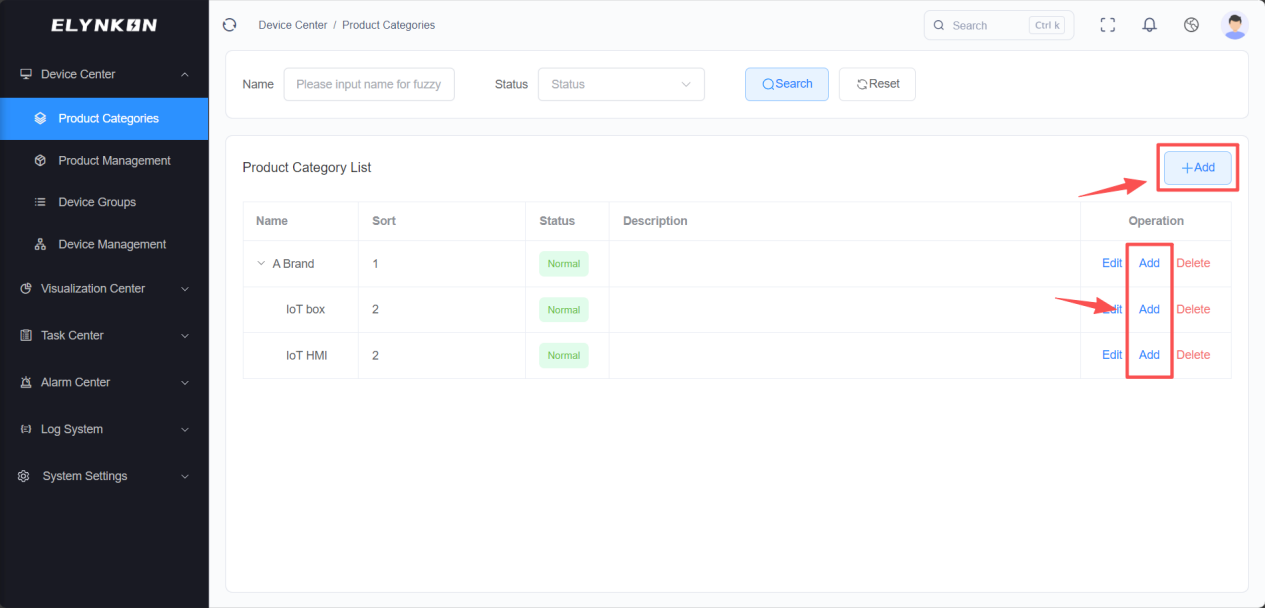
Click the "+Add" button in the upper right corner of the product categories list, or the "Add" button corresponding to each product category row, to start the product category creation process.
Filling in Category Basic Information
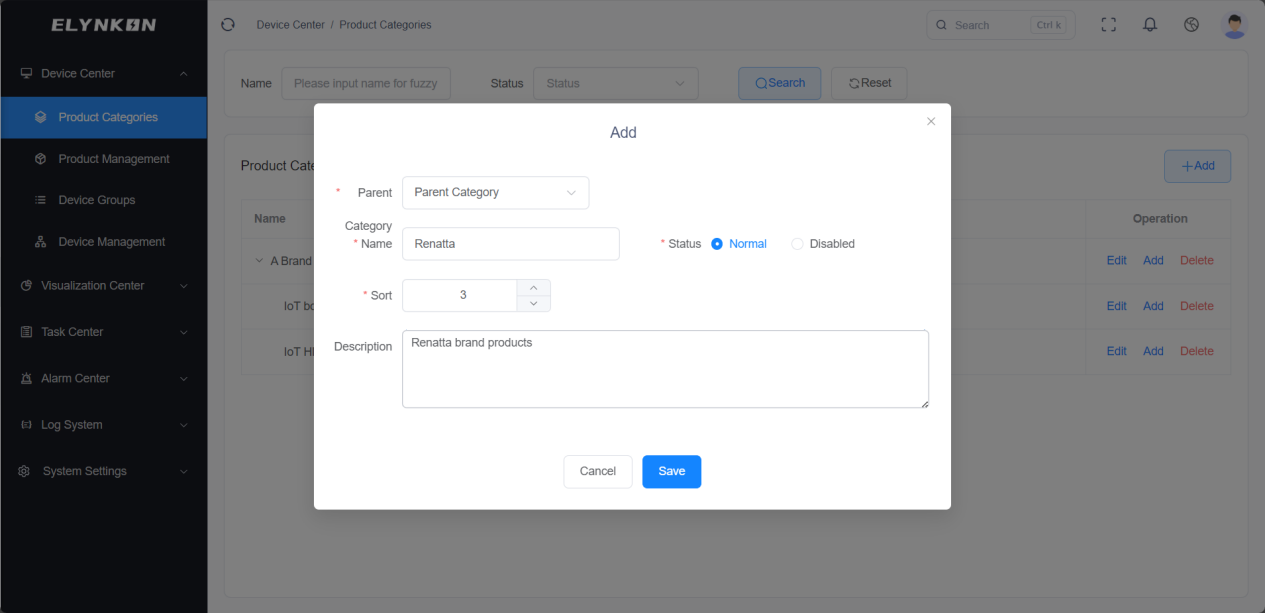
It is recommended to classify by "Manufacturer + Product". For example, use the manufacturer name as the parent category and add specific product models/series under it.
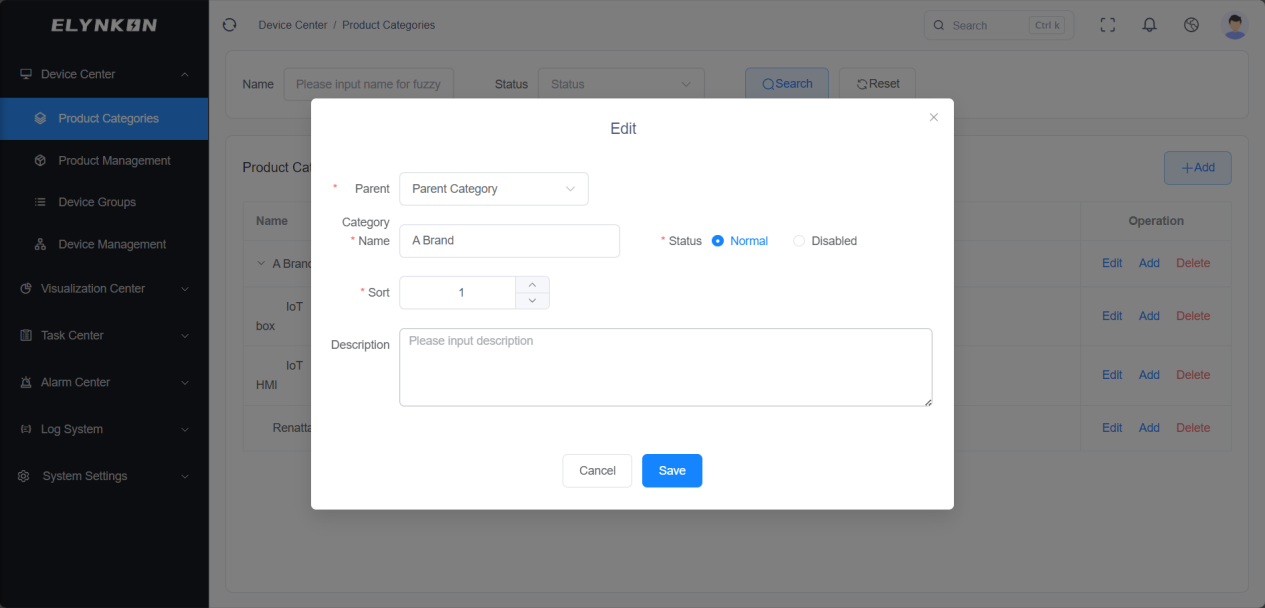
- Step 1: Select parent category: You can create a new parent category or add a child category under an existing parent category.
- Step 2: Enter category name: for example, "Brand A", "IoT HMI". Make sure the name clearly reflects the "manufacturer-product" association.
- Step 3: Select status: Normal or Disabled.
- Step 4: Enter sort order.
- Step 5: Enter description.
- Step 6: Click the "Save" button.
Category Edit & Modification
In the "Operation" column of the row where the target product category is located, click the "Edit" button to access the dedicated editing page for this category and then modify the category information.
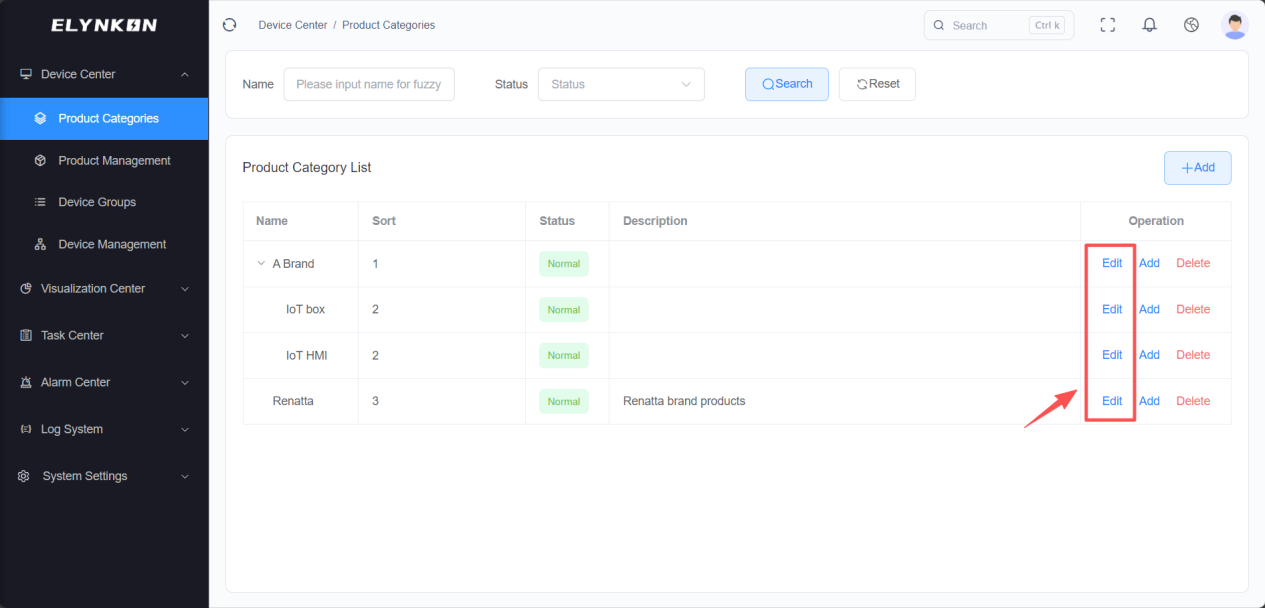
Modifiable category information includes: parent category, category name, category status, sort order, and category description. Click the "Save" button to complete the modification.
Category Deletion
DANGER
Deleting a category is irreversible. Ensure that no products are associated with this category before proceeding.
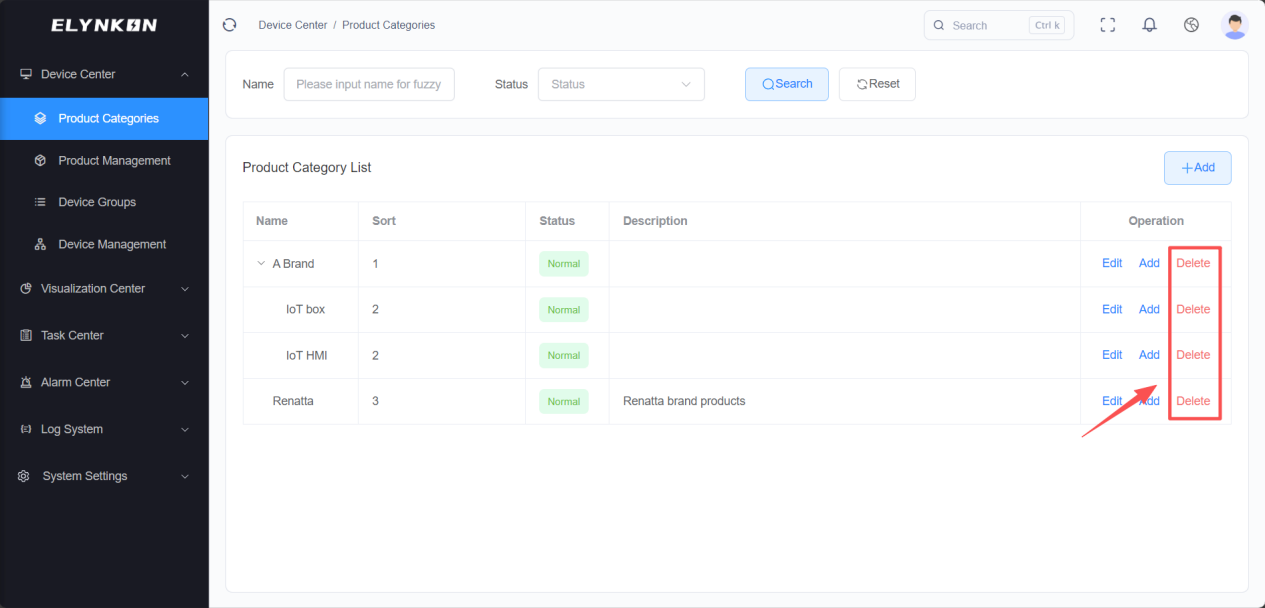
In the "Operation" column of the row where the target product category is located, click the "Delete" button. After the confirmation window pops up, click the "Confirm" button in the window to complete the deletion of the category.